What If You Could See Every Possible Future?
Every founder faces the same question: what happens if we do this? An initiative is a what-if: a hire, a cost cut, a new revenue line. Build it and see what it does to your cash, runway and burn next to where you are headed today, without touching your real numbers.
initiatives
your baseline and the decision
never touches your actuals
Model Decisions Before You Make Them
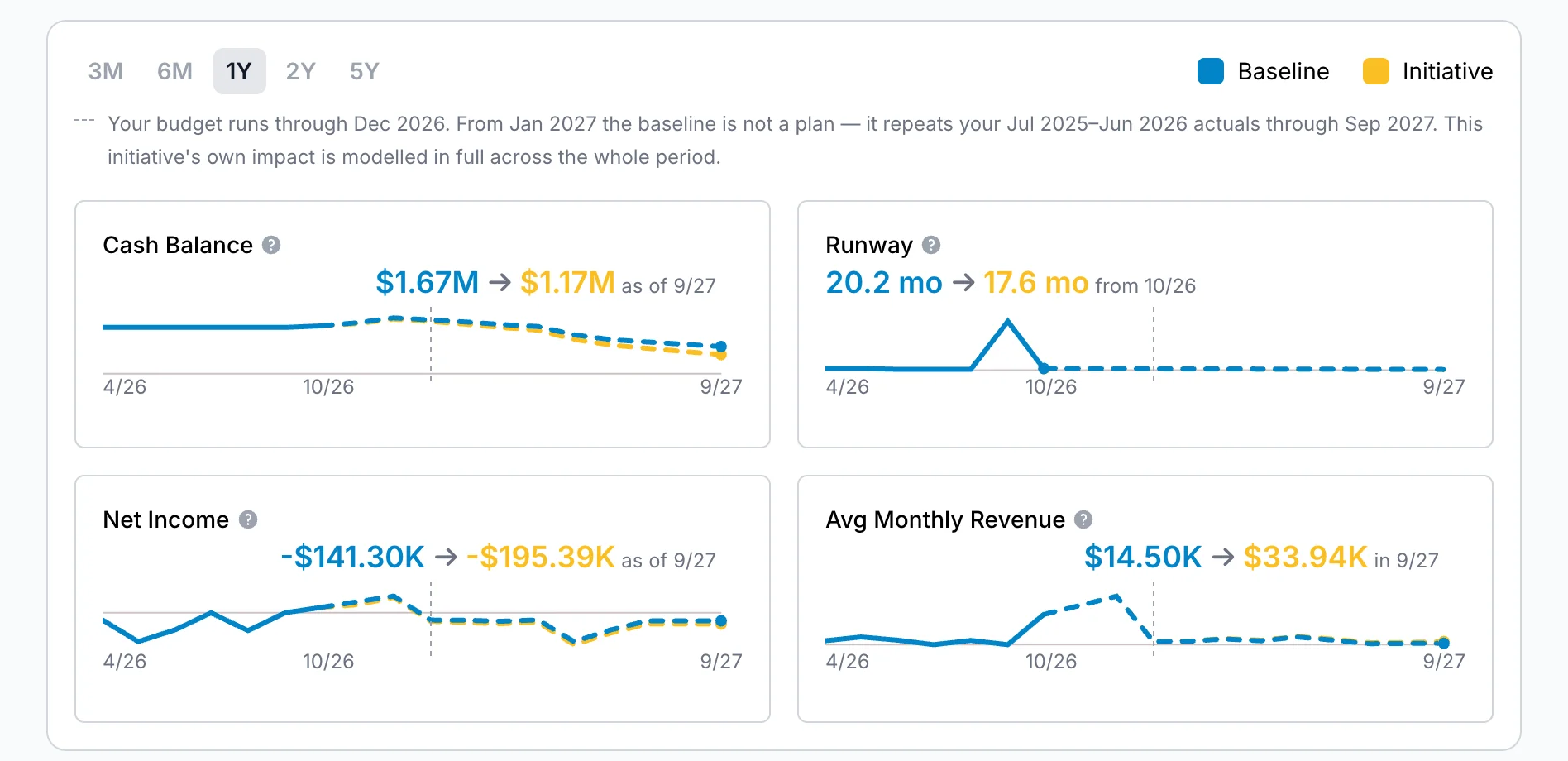
Build initiatives for hiring, cost cuts, revenue changes, anything. Each one shows how it moves your runway, cash and burn compared with doing nothing, so you can see the impact of a decision before you commit to it.
As many initiatives as you like, each for one decision
The blue line is where you are headed today and the amber line is with the decision. The gap between them is the decision
Choose how far ahead the forecast looks, to see the longer-term effect
Duplicate an initiative to try a variation of the same idea
Pin one as your active initiative and see it on your dashboard
Never touches your actuals. Initiatives are always kept apart from your books
Build It Line by Line
Add what comes in and what goes out. Pick the account each line belongs to, then set the amount, the start and end dates, and how often it repeats.
- ✓ Once, monthly, quarterly or yearly
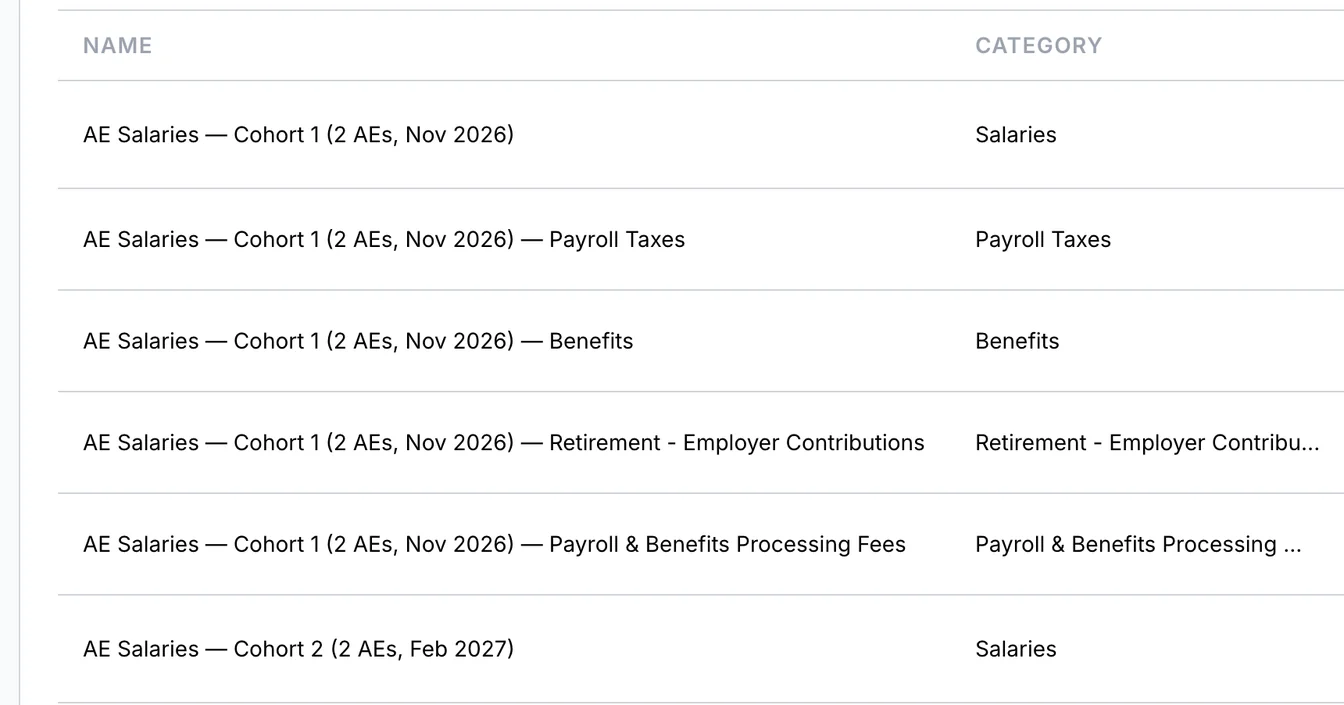
- ✓ Planning a hire? Enter a full-time salary with an overhead percentage for taxes and benefits, or an hourly hire’s monthly cost. Ask Merlin to draft a full-time hire and its cost is split for you: salary, payroll taxes, benefits and retirement each land on a matching account in your books
- ✓ Watch the forecast change as you add a line
- ✓ Dates slipped into the past? The line is flagged, and Update dates rolls them forward
Decided? Put It to Work.
An initiative stays a what-if until you choose to use it. When you commit, bring it into a plan, and it reaches your budget when that plan is published.
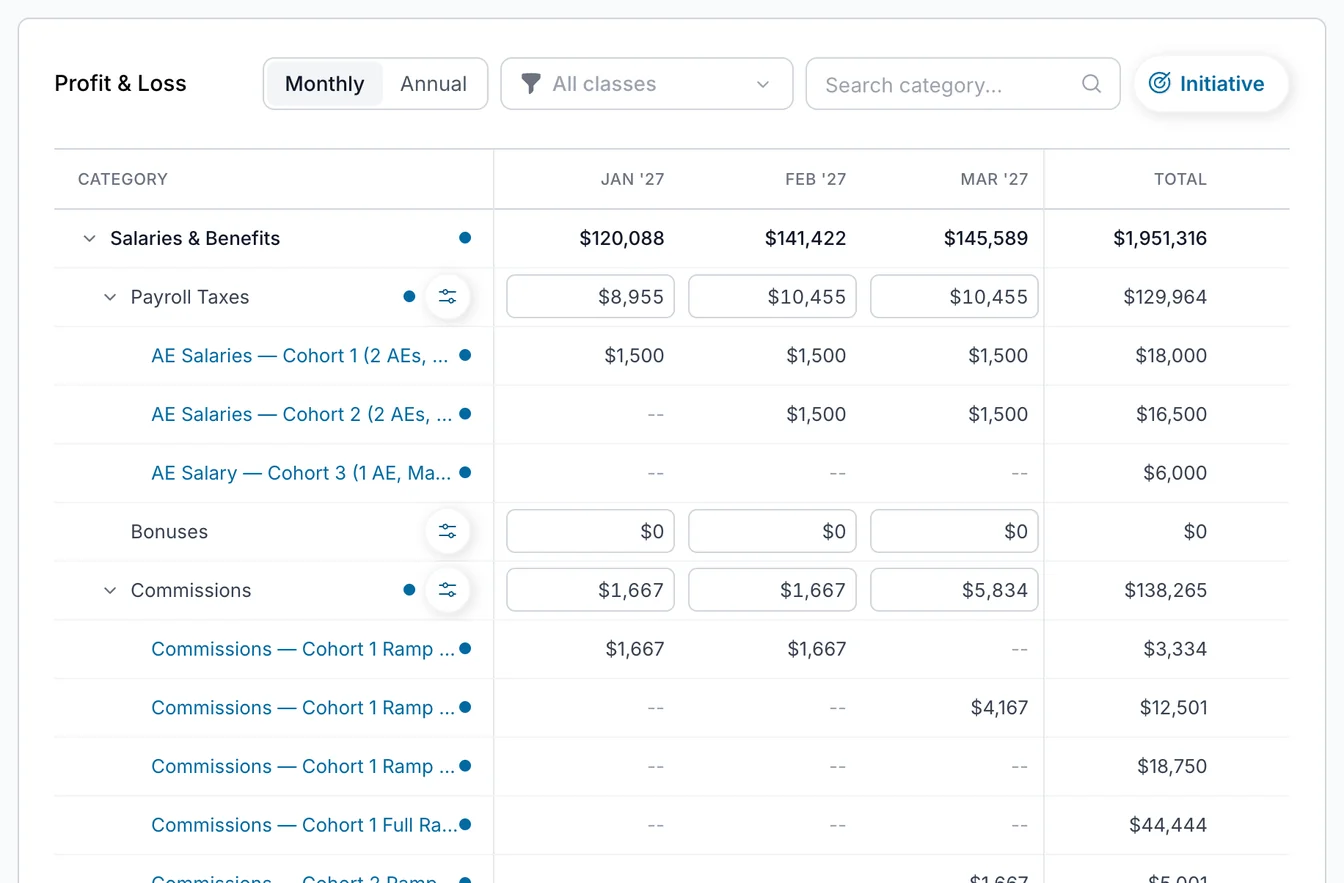
- ✓ Add it to a plan in Planning (Beta), or apply it straight to your budget, up to five at a time
- ✓ Edit an initiative in one place. Plans and your budget show its lines read-only, and your edits flow through to them
- ✓ You are asked to confirm before a live budget changes
Classes
Give an Initiative a Class
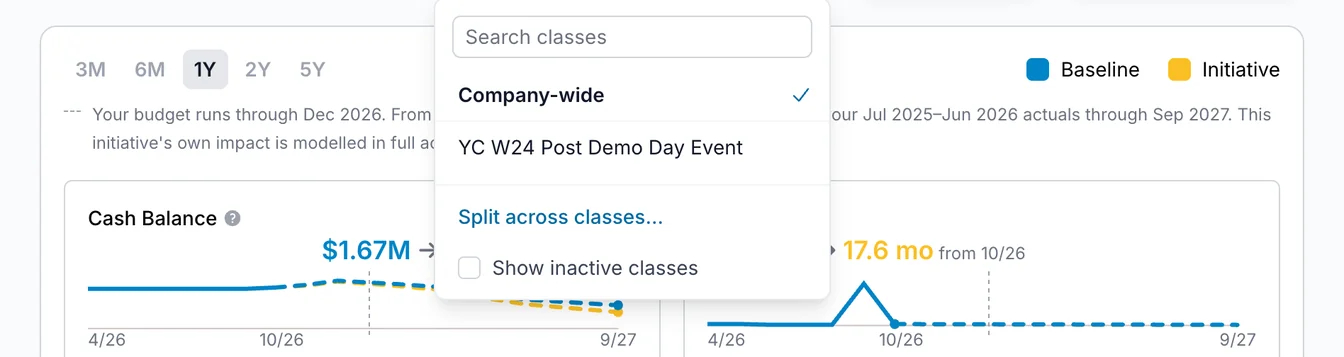
If you track classes in your accounting system, such as business units or programs, an initiative can belong to them too. Put it in one class, or split it across several by percentage.
- ✓ Anything you do not assign has No Class Tag
- ✓ See the initiative's revenue, expenses and net income by class, totalled over the months ahead
- ✓ When the initiative reaches your budget, each class gets its share
- ✓ Cash balance, burn and runway stay company-wide, because cash is not held by class
Where available. Classes appear once your accounting data has transactions tagged with a class.
Initiatives Questions
Can I model hiring and burn scenarios? +
Powered by Merlin AI
Describe a decision in plain English and Merlin drafts the initiative for you, including the costs that usually come with it, such as equipment, software seats and recruiting fees. Nothing is created until you review the draft and click Create Initiative.
Meet Merlin →Stop Guessing. Start Modeling.
See what a decision does to your business before you make it. No spreadsheet formulas required.
Start Your Free 7-Day Trial