Your Budget, Finally Working For You.
Most budgets are written once, filed somewhere, and reviewed at quarter end. In MyRunwayHealth your budget and your actuals share one page: past months show what really happened, updated daily from your accounting system, and the months ahead show your budget.
actuals vs budget
by category, class or vendor
from your accounting system
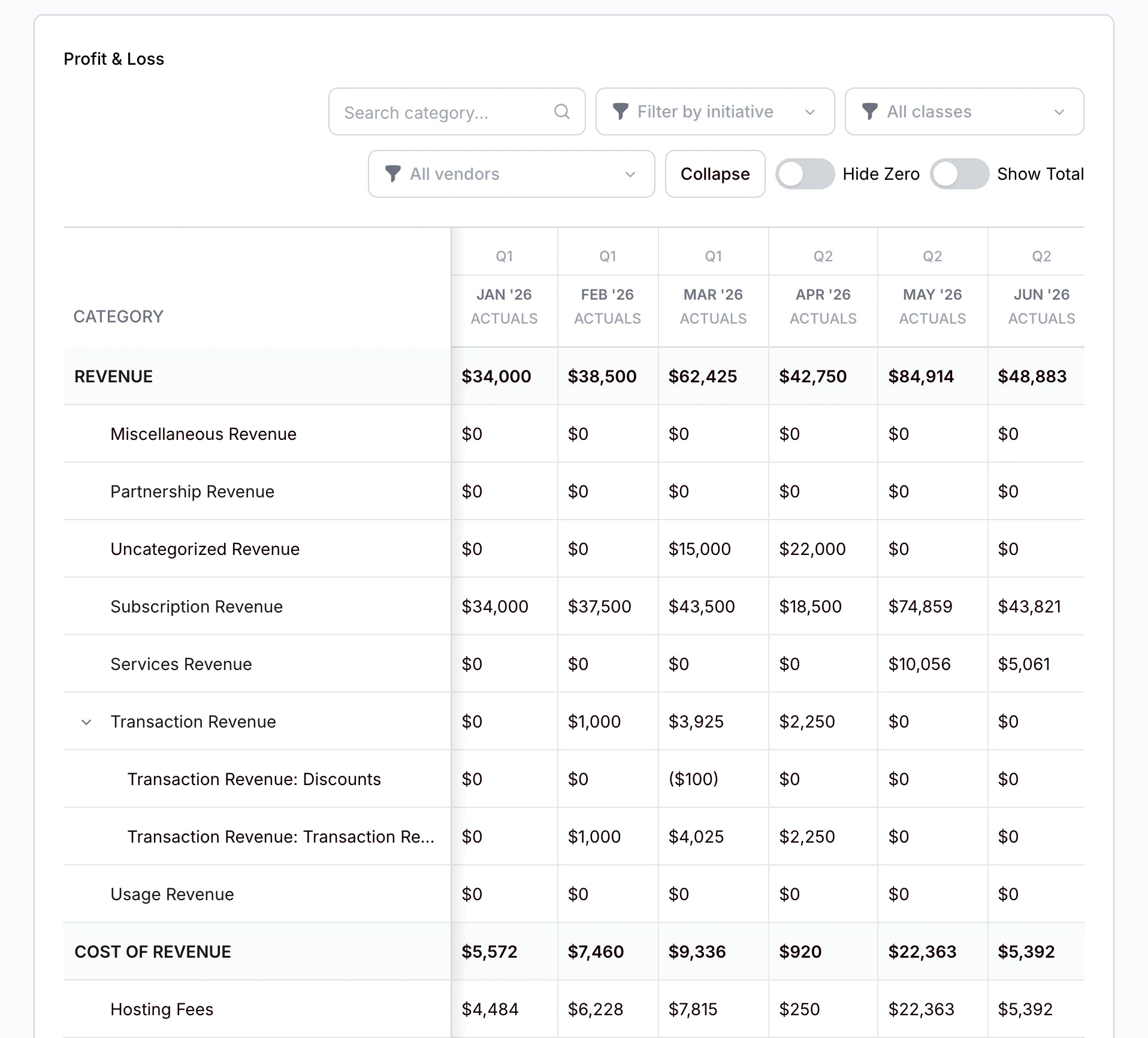
Budget Smarter. Track Automatically.
Your budget is laid out month by month, beside what really happened. MyRunwayHealth tracks your actuals against it and shows you the variance, so you never compare spreadsheets by hand.
Past months show your actuals. The current month shows budget, actuals and variance side by side
Variance in dollars, green when it is in your favour and red when it is not, for income and expenses alike
Month by month, with a total for the year
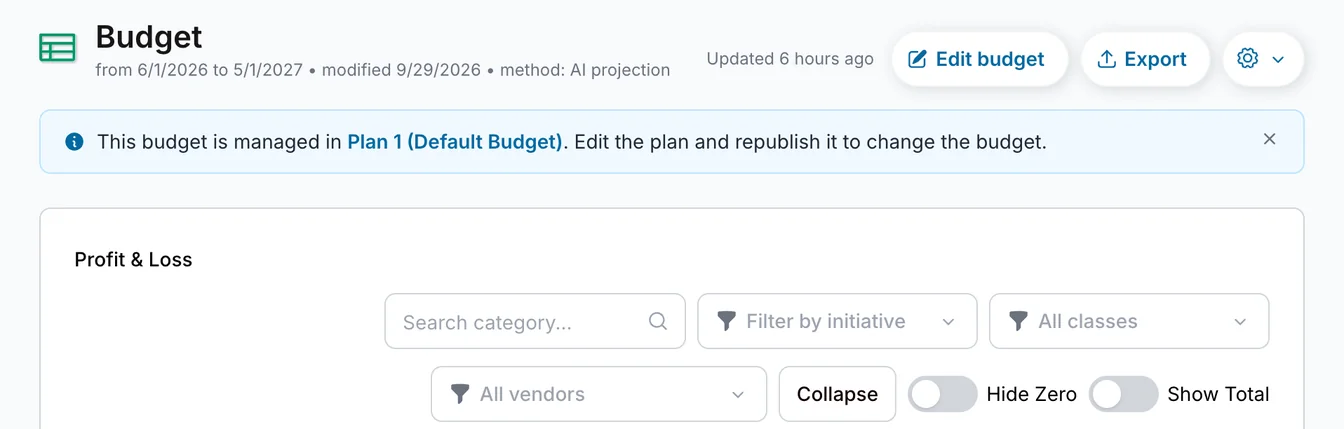
Budget runs longer than a year? Move between years with the year arrows
Expand a category to see the accounts inside it
Filter by class or vendor, or search for a category
Export your budget to Excel whenever you need it
Actuals update every night. Changed the books and need it now? Re-sync Actuals pulls in the latest
Where Your Budget Comes From
Build your budget in Planning (Beta), then publish it. Or bring in the budget you already have. Either way, the decisions you have modeled as initiatives show up in it, line by line.
- ✓ Publish a plan and it becomes your live budget. Need to change course mid-year? Edit the plan and republish
- ✓ Already have a budget in a spreadsheet? Import it with our template, in Excel or CSV
- ✓ Each initiative in your budget has its own coloured dot, so you can see what it adds to each line
- ✓ Your dashboard's forecast follows your budget
Classes
Track Classes in Your Books? See Your Budget by Class.
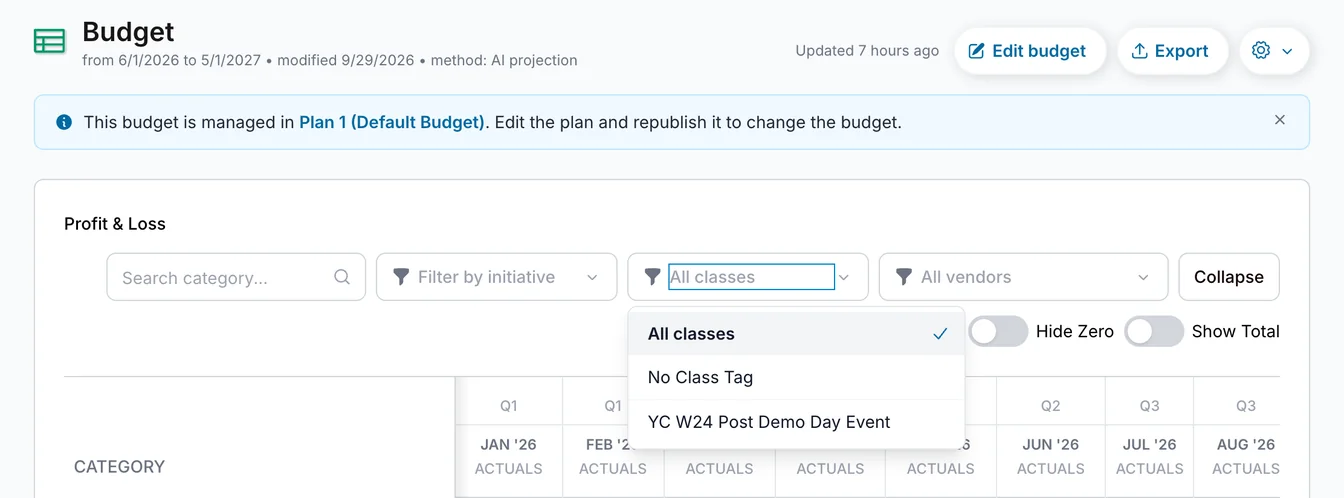
If you track classes in your accounting system, such as business units or programs, they come with you. Choose a class above the table and you see that class's budget and actuals alone.
- ✓ Choose one class, or No Class Tag for everything without one
- ✓ Parent classes include their children. Your classes, plus anything without a class tag, always add up to the company total
- ✓ Actuals come straight from the classes on your transactions. For months ahead, each class's share is an estimate based on how each account has split across classes in the past
- ✓ Export while a class is selected and you get that class's budget
- ✓ An initiative split across classes gives each class its share
Where available. Classes appear once your accounting data has transactions tagged with a class.
Budgeting Questions
How do I track budget vs actuals automatically? +
Can I track my compensation budget against actual spend? +
Powered by Merlin AI
Merlin watches your budget for you. Get alerted when a category is trending over budget before it becomes a problem.
Meet Merlin →Build a Budget That Actually Tracks Itself.
Stop comparing spreadsheets. Get automated budget vs. actual tracking in minutes.
Start Your Free 7-Day Trial